Book demo
Product updates

See what's new

Stay up to date with the latest from Homepal and the improvements we’re making, either here or via our RSS feed.

New in Analyses

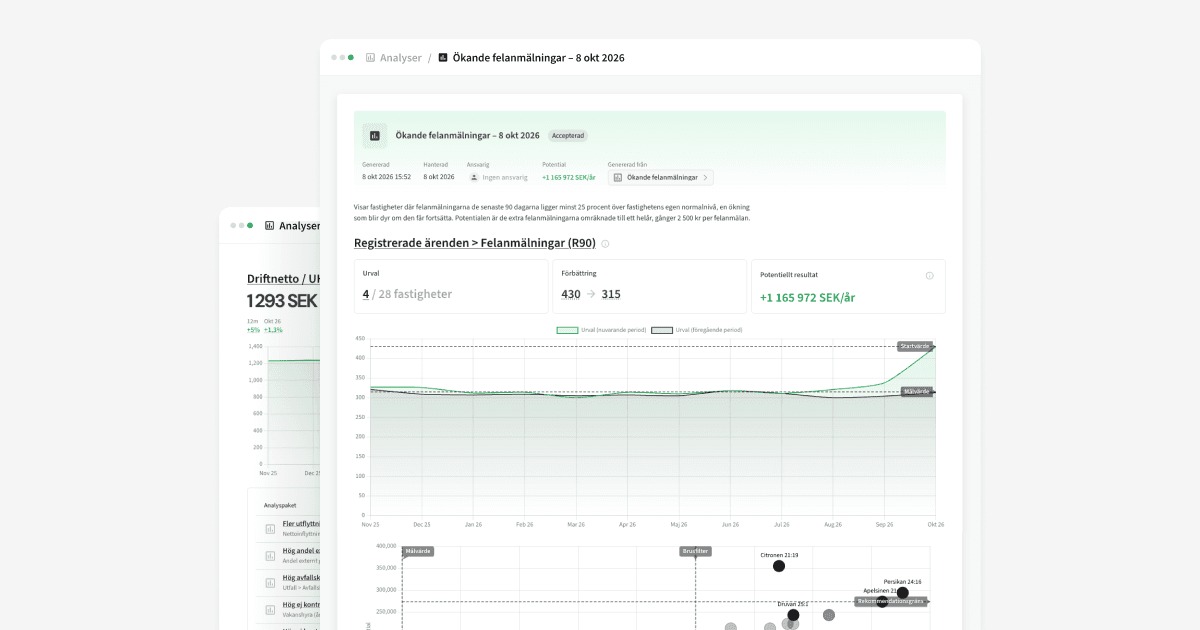
Analyses now have a review mode. Decide on one property at a time, and start where it matters most.

Review mode for analyses

Why it matters

You no longer have to go through every property before deciding to take one forward. If you see one that’s worth acting on, you activate it right away and take the rest when you have time. The analysis always shows what’s left.

This is new

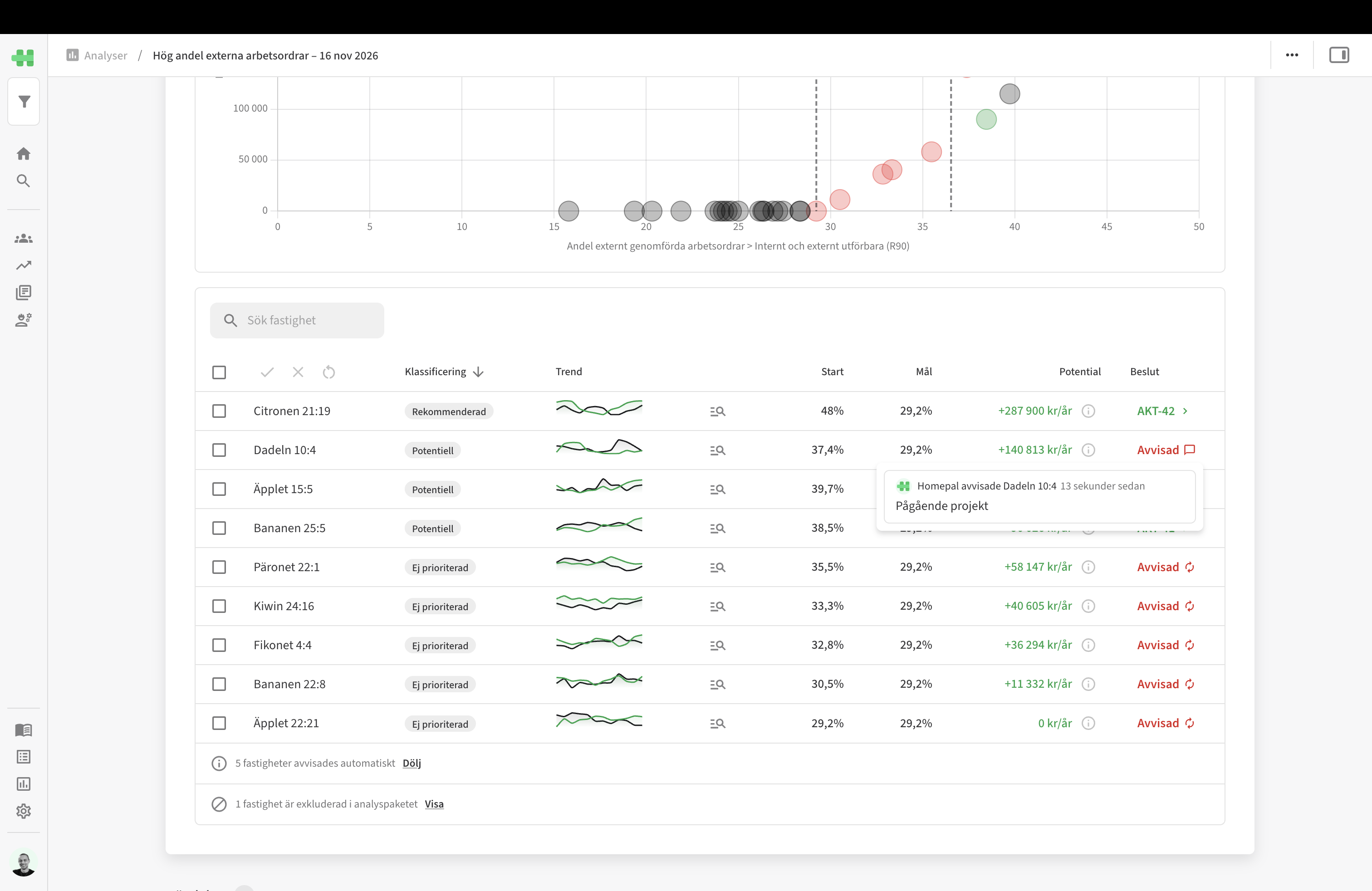
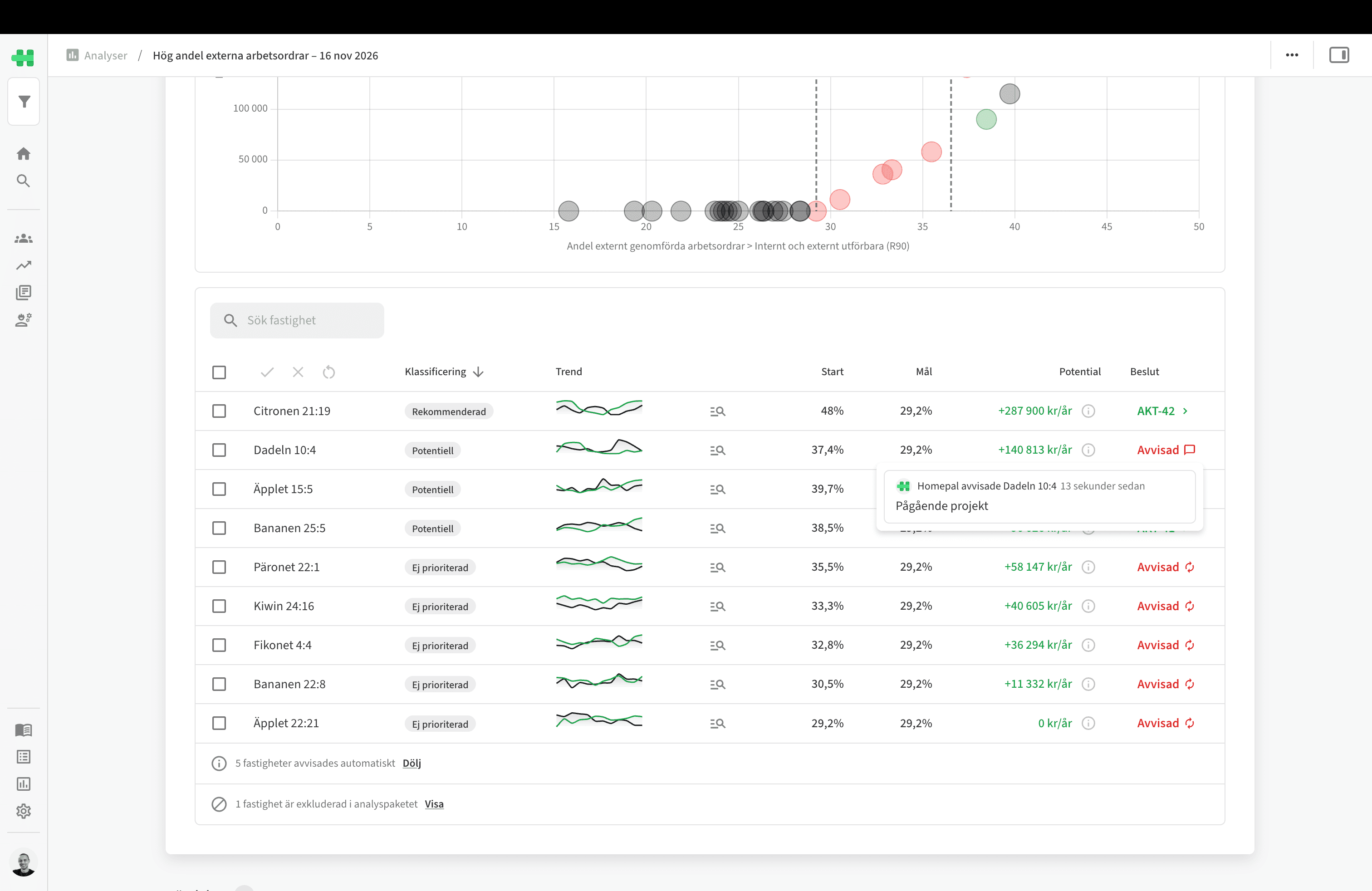
In the table you decide on one property at a time. Activate, and a task is created. Dismiss, with a comment if you like. At the top you see how many have been reviewed and how much potential is waiting for a decision. Small and temporary deviations are already dismissed, so you start with what’s worth looking at.
New in Analyses

The analyses now show not just where the potential is, but why. And three new analyses that show where rent is being lost.

See why a property stands out

Why it matters

The analysis showed which properties stood out, but not why. To find the cause you had to dig through work orders and invoices yourself, or build a dashboard of your own. Now you get the answer when you explore the property, without leaving the analysis.

This is new

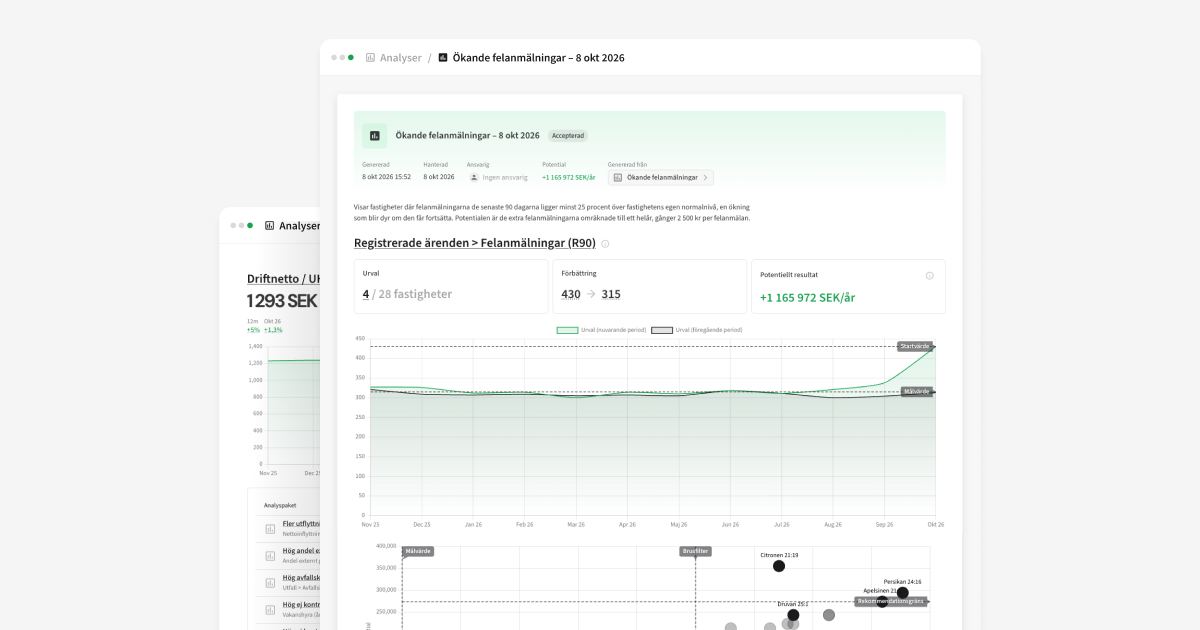
Under Explore we’ve gathered the questions that explain why the property stands out, for example “Which faults drive the increase?” or “Is the rent loss due to vacant or blocked homes?”. Answers show as a metric against the portfolio, a breakdown, or a trend.

Three new analyses for letting

Why it matters

Net move-ins showed what had already happened. The three new analyses show where you’re losing rent and where you’re at risk of losing it, so you can act while it still matters.

This is new

High notice rate shows which properties have a higher rate of notices than the rest of the portfolio. Notices show up months before anyone moves out, so there’s time to act. Every turnover that doesn’t happen saves the cost of inspection, re-letting, and making the home ready.

High rent loss per home shows which properties lose more rent per home than the portfolio median. The rent loss that disappears when a property reaches the median raises NOI directly.

Growing rent loss, residential compares each property with its own normal level and shows where rent loss is growing. That makes it possible to turn the increase around before it becomes the property’s new level.

Homepal in Lovable

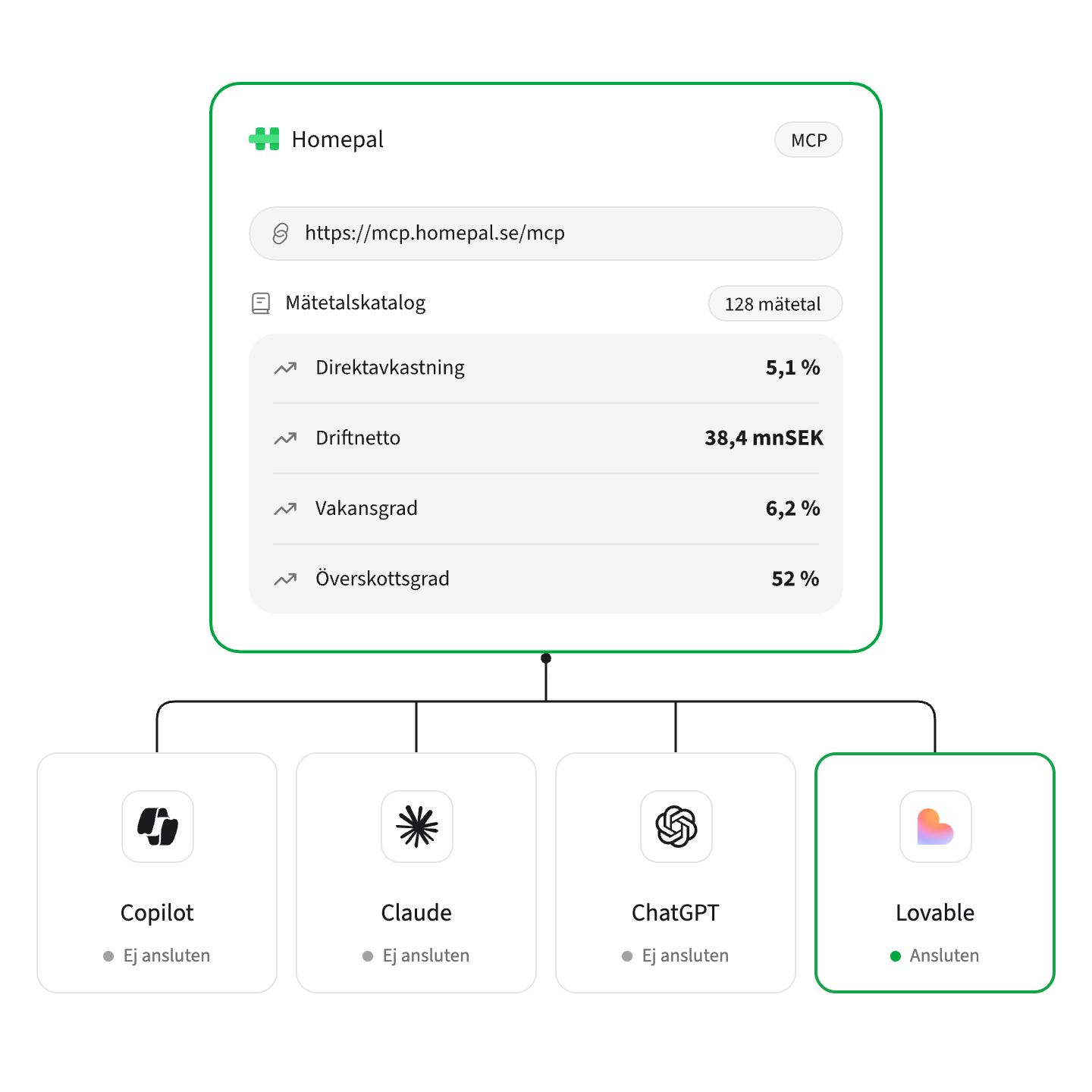
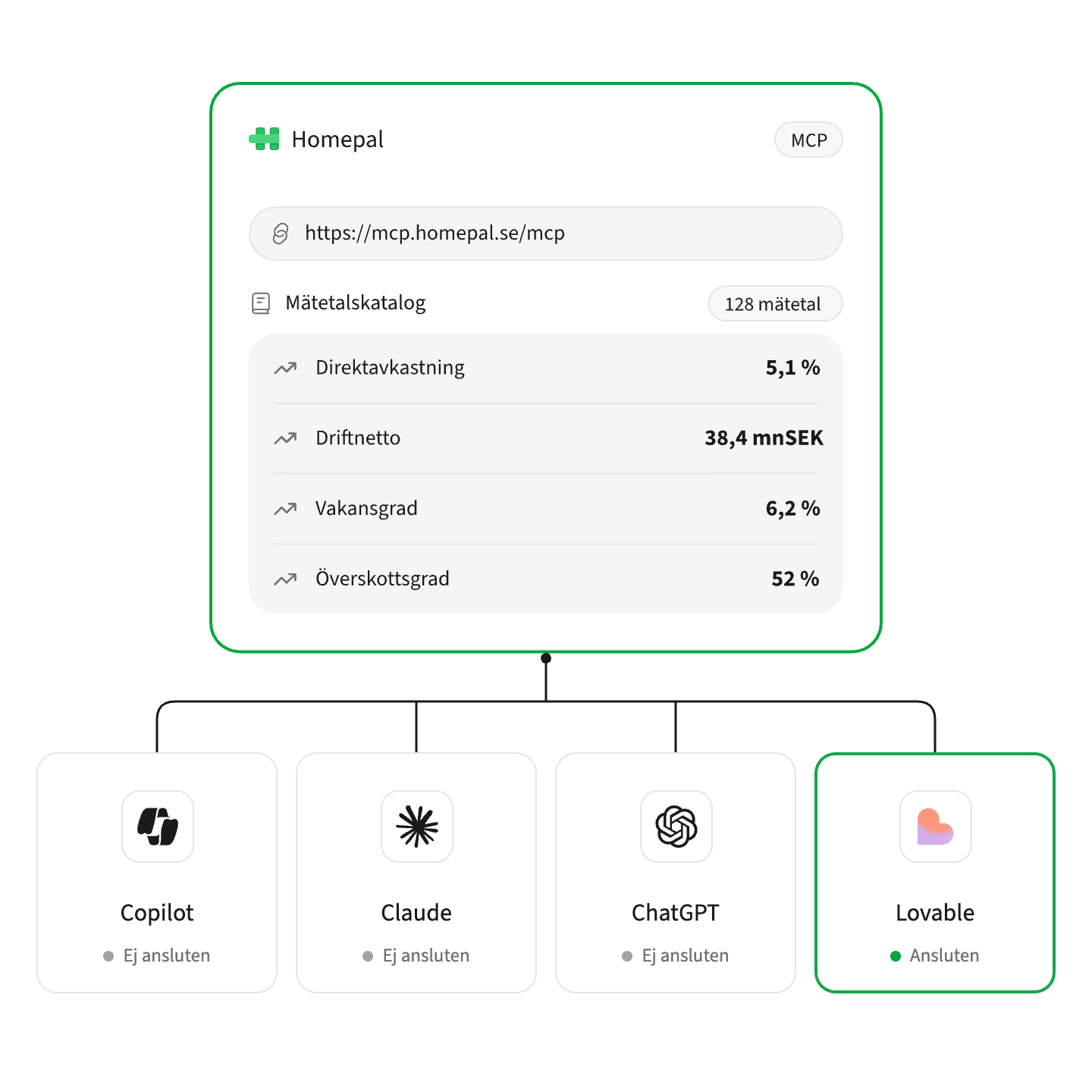
Beyond Copilot, Claude, and ChatGPT, you can now use Homepal’s metrics in Lovable too, and build your own tools on them.

Build your own tools on Homepal’s numbers in Lovable

Why it matters

More and more of you are building your own pages and services in Lovable. What you build needs your business numbers, and until now Homepal’s metrics haven’t been available there. Now you can pull them straight into Lovable, with the same definitions as in Homepal.

This is new

Homepal is now available as a connection in Lovable. Add Homepal when you build, and what you build can pull metrics, trends, and records directly, with the same definitions as in Homepal. Ask the way you’d say it: “show vacancy by area for the last twelve months,” and you get a view built on your own numbers.

Analyses now count only what matters

Fewer false deviations: exclude properties you already know about, and let the external share count only the work you could have done yourselves.

Exclude what you already know

Why it matters

You already know why some properties stand out: the swimming hall uses a lot of energy, the first six on the list are being renovated. Recognizing and dismissing the same properties every time takes attention away from what is new, and when it happens often, trust in the rest of the analysis drops.

This is new

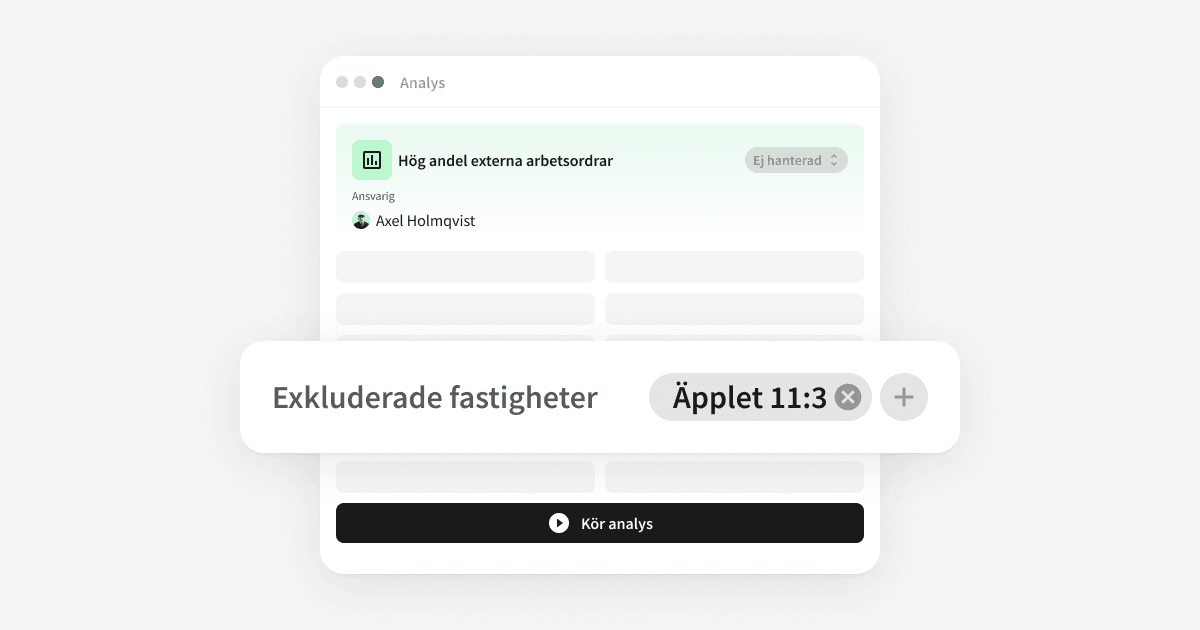
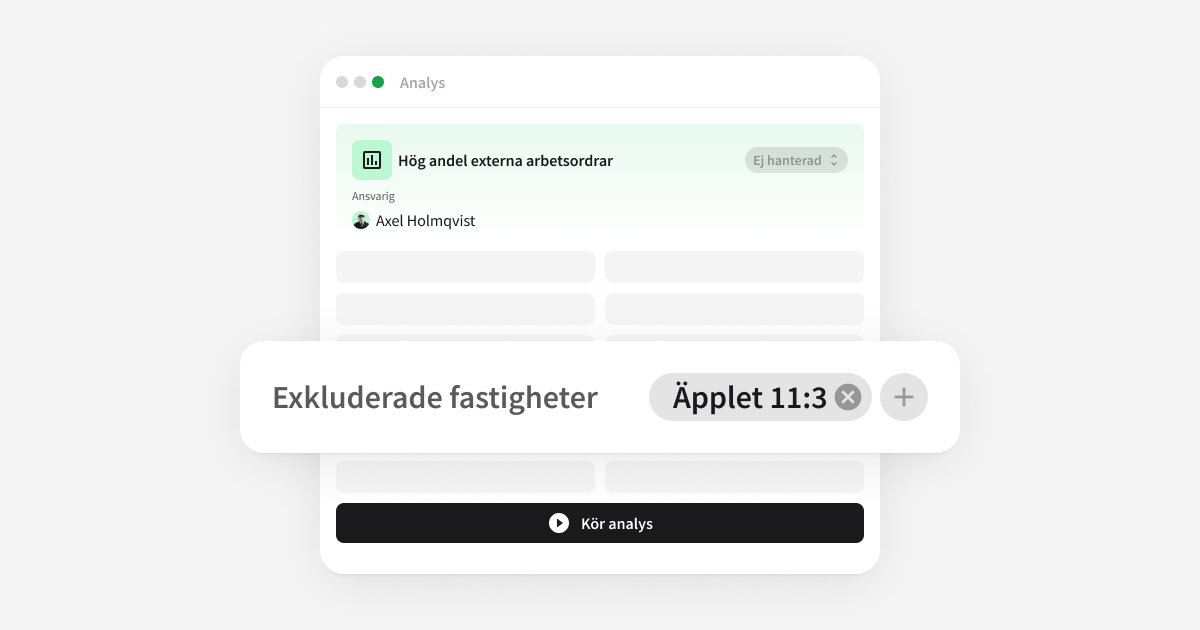
You can exclude properties from an analysis type before it runs. Excluded properties are not flagged and are not included in the portfolio average, and it is clear which ones are excluded every time the analysis runs.

External share now counts only the work you could have done yourselves

Why it matters

A high share of external work orders only means something if you could have done the work yourselves. Maintenance that is always contracted out, warranty cases, and painting campaigns push the share up without there being anything to act on. Time then goes to explaining the number away instead of acting on it.

This is new

The analysis High share of external work orders now counts only work orders that can be done either internally or externally. You decide which ones those are in a new slice, Internally and externally doable, under Entities. The slice needs to be configured before the analysis can run.

New in Tasks

Split the work between you, and see in the trend when each step was done.

The two belong together. Every subtask you mark as done becomes a point in the trend, so the work and its effect show in the same picture.

Split a task between you

Why it matters

What lies behind a deviation is rarely solved by one person. Finance needs to rebook, the property manager needs to check, operations needs to fix. When all of that sits in a single task with a single owner, the coordination happens in email on the side, and nobody can see where things stand.

This is new

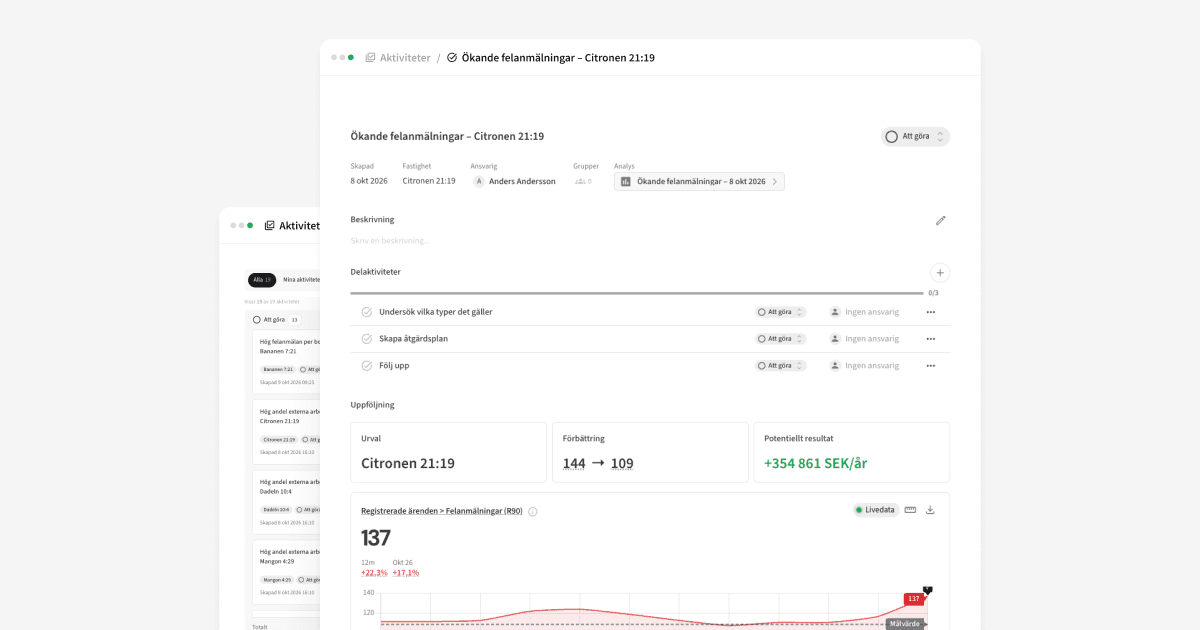
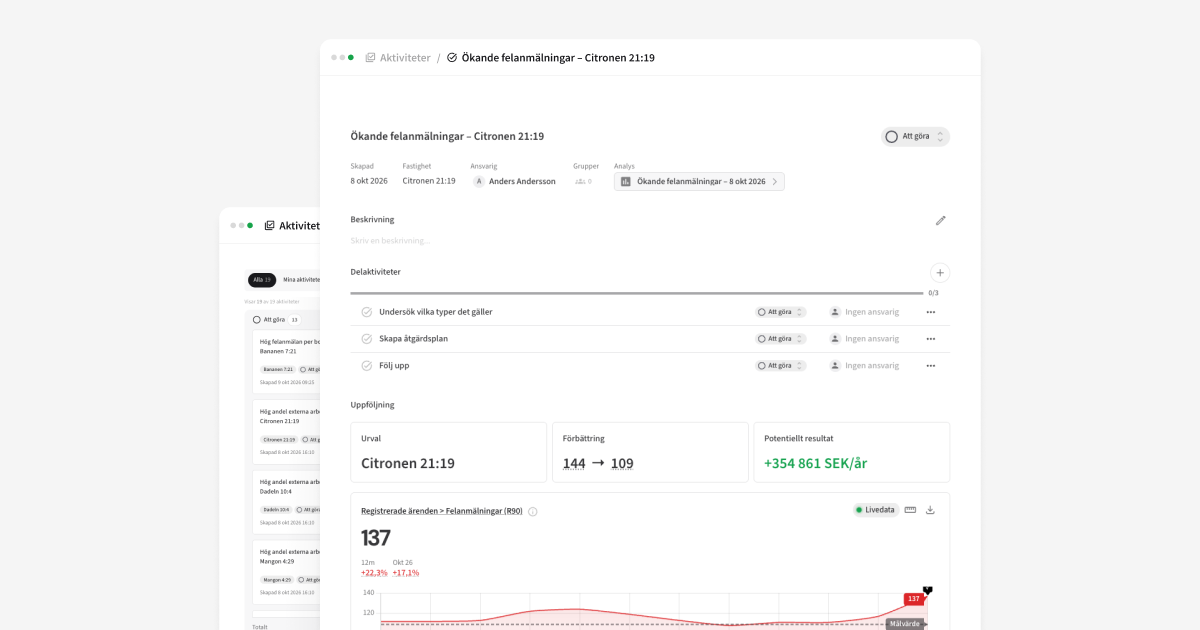
A task can be split into subtasks. Each subtask has its own owner, its own status, and its own date, and the task shows how many steps are done. A missed date turns red until the step is completed.

See when you took action, right in the trend

Why it matters

You make a change, and six months later nobody quite remembers when. Then you can't tell whether it was the change that made the difference, and what you wanted to show management and the board rests on individual people's memory.

This is new

Every subtask you mark as done becomes a marker in the metric's trend chart, on the date it was completed. You see the curve before and after the action in the same picture. "This is where we changed contractor, and this is what happened next."

AI-ready platform

Future-proof your analytical skills

Connect a solution honed together with hundreds of real estate players – already equipped for AI in a way that takes years to build right.