Why does the same question yield different answers every time?
Ask the same question about a vacancy report three times, using the same data source, and you’ll get three different reports. One Excel spreadsheet with five tabs. One with six. One document. Vacant rent is calculated differently; financial vacancy is reported in two of the answers but is missing from the third; and different properties are identified as having the highest vacancy rates.
None of the responses is wrong. But you don’t know which one you’ll get next month, and that makes the report unusable as a basis for decision-making in a property management organization.
The problem isn’t the tool. Copilot, ChatGPT, Claude, and Gemini all behave the same way. The reason is that a short question leaves all options open, and the AI assistant then makes its own assumptions about what “vacancy rate” means, which properties to include, and how the results should be presented. Each run yields new assumptions.
The solution is to make the decisions for it, right in the prompt.
I want to generate a vacancy report for the residential units in our portfolio, based on the attached rent roll.
The purpose is for property managers to see where vacancy rates are expected to rise in the future and to be able to prioritize leasing efforts in their area.
Include only properties where the “Type” is “Residential.” No commercial spaces or parking spots.
“Vacant” means a property without a tenant in the rent roll. The vacancy rate is calculated based on the number of properties. We have no vacancy rent recorded, so do not estimate any rental values.
Use “Contracts through” and “Upcoming contracts starting” to show how the vacancy rate will develop month by month over the next six months, based on existing contracts. Do not speculate on re-leasing.
The report is used during reviews with property managers, both in total and by management area.
PowerPoint. One slide showing the total and one slide per management area.
What should a prompt include?
Eight parts are sufficient to ensure that the same question yields the same answer. The examples apply to a vacancy report based on a rent roll, but the structure works for net operating income reports, rent shortfalls, service requests, and all other recurring follow-ups.
1. Introduction: what you want and the basis for it. The AI assistant needs to know which report is involved and which file to use as a starting point.
2. Purpose: what the report is intended to achieve. The purpose determines what is highlighted and what is omitted. A report intended to drive leasing efforts looks different from one that is to be presented to the board.
3. Scope: what should be included. A property portfolio includes residential units, commercial spaces, and parking spots. Without a defined scope, everything is counted, and the vacancy rate becomes misleading.
4. Definitions: what the terms mean for your organization. This part is the most important. Vacancy rate can be calculated based on the number of properties, by area, or by rental value—and these three methods yield different figures. If you don’t specify, the AI assistant will choose for you—and will choose differently each time.
5. Forecast: the time horizon. Should the report show the current situation or future trends? And what shouldn’t be estimated—for example, the re-leasing of properties that become vacant?
6. Recipients: who will read it. Property managers need figures broken down by management area. A management team needs the total.
7. Format: You choose, not the AI. Without a specified format, it’ll be an Excel file one month and a document the next—even if everything else remains the same.
8. Be transparent: Make the assumptions visible. Have the AI assistant flag what’s missing instead of filling in the gaps yourself, and list the assumptions it had to make anyway.
If something is missing or unclear, say so instead of making assumptions. Conclude with a slide listing the assumptions you had to make anyway.
Example: A ready-made prompt for a vacancy report
Here’s what the eight parts look like in a coherent prompt. Send the entire text in a message along with the data set.
I want to generate a vacancy report for the residential units in our portfolio, based on the attached rent roll.
The purpose is for property managers to see where vacancy rates are expected to rise in the future and to be able to prioritize leasing efforts in their area.
Include only properties where the “Type” is “Residential.” Exclude commercial spaces and parking spots.
“Vacant” refers to properties without a tenant in the tenant list. The vacancy rate is calculated based on the number of properties. We have no vacancy rent recorded, so do not estimate any rental values.
Use “Contracts through” and “Upcoming contracts starting” to show how the vacancy rate will develop month by month over the next six months, based on existing contracts. Do not speculate on re-leasing.
The report is used during reviews with property managers, both in total and by management area.
Format: PowerPoint. One slide showing the total and one slide per management area.
If anything is missing or unclear, point it out instead of making assumptions. Conclude with a slide listing the assumptions you had to make anyway.
Save the completed template. The next time you need to generate the same report, paste it in again, change the month, and get the same results.
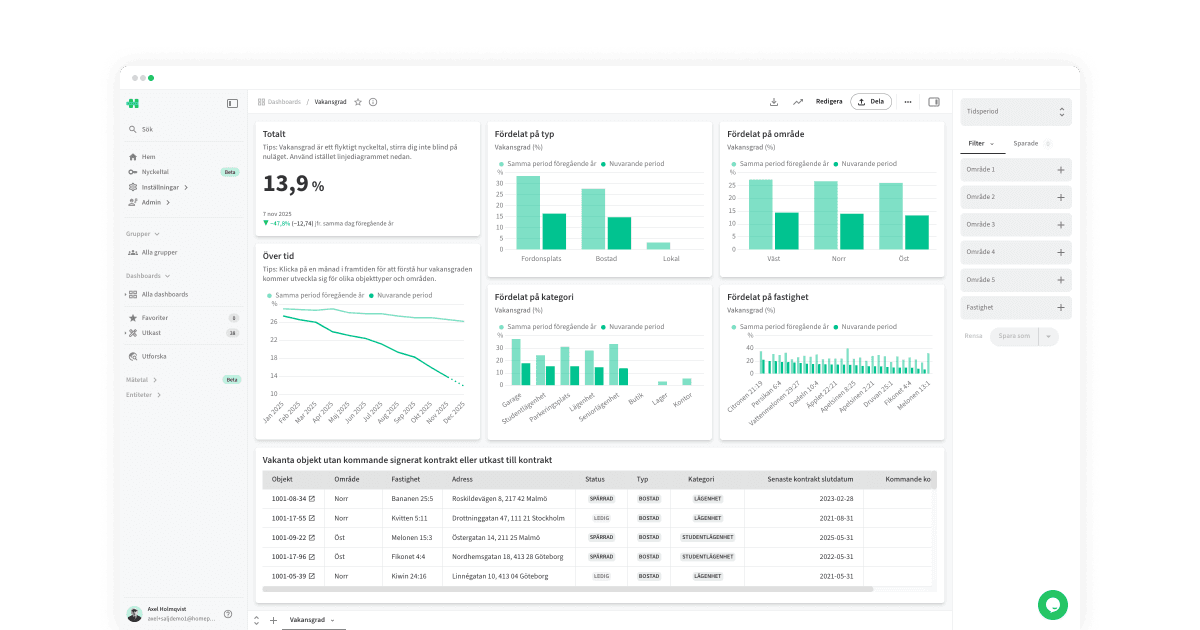
How do I get the report in our brand guidelines?
By asking for it—and by being specific. The first draft is rarely what you want to send out, and simply asking for something “nicer-looking” yields a random result.
Examples of instructions that work:
- Use our brand guidelines
- Add our logo
- Combine the key metric boxes and the trend into a single block
- Use a line chart to show the trend instead of bars
- Remove the explanation under “Expired Contracts”
The more specific the instruction, the fewer iterations are needed. Asking for a “nicer” slide yields a random result. Asking for a line chart yields a line chart.
If you have a graphic style guide in a document, attach it. That way, you won’t have to repeat colors and fonts every time.
How can I avoid rewriting the prompt every month?
If it’s a one-time request, the prompt above is all you need. Save it in case the request comes up again.
If it’s a report that needs to be generated every month, there’s a better way. A “skill” is a saved workflow: the instruction plus the associated files, such as a template. Skills are available in Claude, ChatGPT, Gemini, and Microsoft 365 Copilot and are based on the same open format.
You don’t need to build it yourself. Have the AI do it, right in the same chat where you just created the report:
Turn what we’ve come up with into a skill for our monthly vacancy report. Include the instructions and the PowerPoint template with clear placeholders.
You’ll receive a file to upload to your skills. After that, simply type “November Vacancy Report,” and you’ll get the same report with the same definitions and layout as last month.
That’s when the “lazy prompt” really works.
Frequently Asked Questions
Why does my AI assistant give different answers to the same question?
Because a short question leaves the options open. The assistant decides for itself what “vacancy” means, which properties count, and how the results are presented—and chooses differently each time. Define the terms in the prompt, and the variation will disappear.
What’s the most important thing to include in a prompt?
The definitions. Vacancy rate can be calculated based on the number of properties, square footage, or rental value—and each yields different numbers. Specify which one applies to your organization.
Do I need different prompts for Copilot, ChatGPT, Claude, and Gemini?
No. The same structure works for all four. The differences lie in the file formats they can generate, not in how they interpret a clear instruction.
How do I get the AI to use our visual identity?
Attach the visual identity as a file and explicitly request it. Then provide specific feedback on the draft—for example, ask it to use a line chart for the trend, rather than just asking for something that looks nicer.
What is a “skill”?
A saved workflow: the instruction plus the associated files, such as a report template. Skills are available in Claude, ChatGPT, Gemini, and Microsoft 365 Copilot and are based on the same open format. With a skill, all you need to do is type “Vacancy Report for November.”
Can the AI retrieve the numbers on its own instead of me uploading a file?
Yes, through a connection to your systems. That way, the numbers are always up to date, and you don’t have to export a file every month. This requires that your property management systems can be connected to the assistant.